
Download Supremo for Android

Get a single app for remote desktop control and remote assistance, for free

Version – Issued – Changelog

License

Free for non-professional and/or non-continuous use. For business use and/or without time limits, find out more and buy a pro plan.

Compatible with

CONNECTIONS TO
Windows OS icon
MacOS icon
Android icon
CONNECTIONS FROM
Windows OS icon
MacoOS icon
Android icon
iOS icon

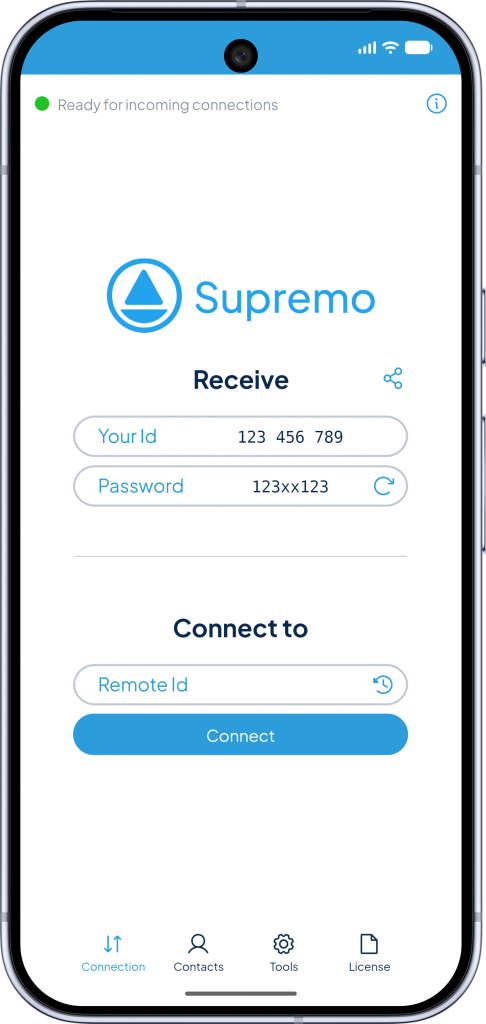
Remote assistance now included in Supremo for Android

Supremo Mobile Assist is now fully integrated into Supremo for Android. With a single app, you can both control remote devices and receive remote assistance on your Android smartphone or tablet. 

The same simple experience, with more capabilities available in one application.
Download Supremo for any platform or device

Windows

macOS

Android

iOS

Simple

The Android mobile app allows you to access and control remote devices or receive remote assistance within seconds, all from a single application.

Smart

At any time and wherever you are, you can provide assistance, receive technical support, or access files and folders on your office computer using your Android smartphone or tablet.

Safe

Security is a top priority when talking about remote access. With this reliable application for Android, all your information is encrypted.

Supremo

Quick access and seamless control on remote desktops, with the ability to receive remote technical support on Android devices wherever you are.

Use Supremo for Remote Working

Features

Easy-to-use

A lightweight mobile app for remote desktop control of PCs, Macs and servers or receive remote assistance on your Android devices. No installation or configuration required to start or receive a support session on your Android smartphone or tablet.

Security and protection

Supremo for Android keeps you safe as it guarantees secure encrypted connections, whether you are accessing remote PCs and servers or receiving remote support on your device.

Cross-platform

Launch remote connections from Supremo for Android to Windows and macOS devices, or allow trusted operators to connect and provide assistance to your Android smartphone or tablet.

No configuration required

Supremo for Android uses a data transfer protocol that allows you to connect to remote PCs or servers or receive assistance without installation or configuration of routers and firewalls.

All-in-one

Supremo for Android integrates remote assistance, display management and chat for instant messaging with the connected device, all within a single app.

Address book

Save unlimited contacts in your Supremo online address book to connect quickly and easily to remote Windows and macOS devices or manage support sessions efficiently.

Download Supremo for free today