

 Français
 Deutsch
 Italiano
 Português
 Español
Remote Monitoring and Management Software
for complete endpoint control
From endpoint monitoring and management to automated patch administation and network scanning, Supremo transforms reactive support into proactive IT infrastructure control
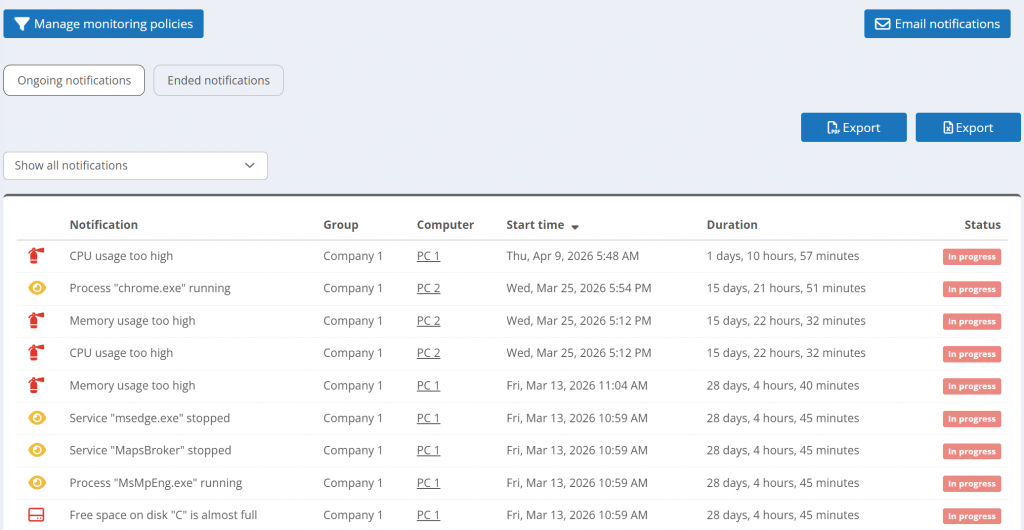
Real-time monitoring and alerts
Keep a pulse on your IT infrastructure with an RMM dashboard. Using visual indicators, you can distinguish healthy systems from devices facing performance or security risks.
Customize your monitoring policies to track CPU, memory, disk space, Windows activity log, and more: set up proactive alerts to intervene before a minor glitch turns into a costly downtime. With email notifications and full alert history, you maintain total operational accountability at all times.
Centralized Endpoint Management
Take control of your fleet from a centralized dashboard, no more jumping between fragmented workflows. For every monitored device, you can pull detailed hardware and software inventories, network configurations, and live system statuses.
Assign policies to devices to standardize your setup without losing the flexibility your customers demand. By connecting endpoints to the Console, you gain full visibility and control over your IT environment.
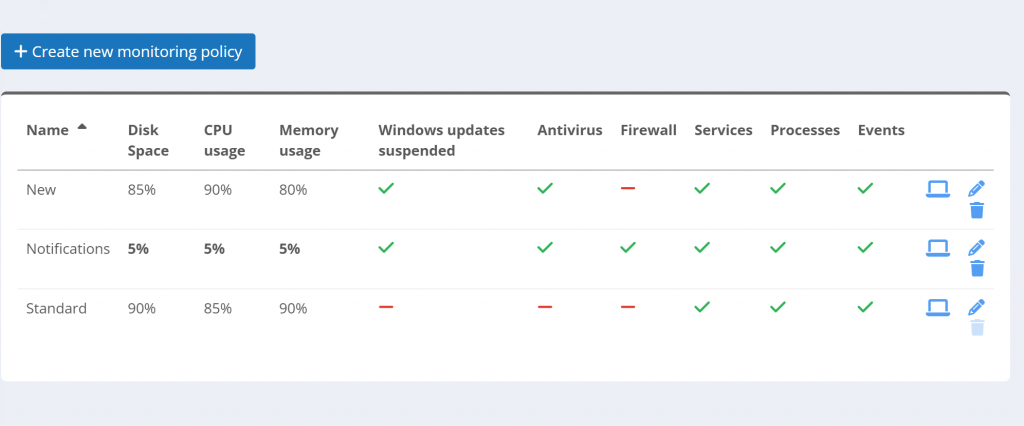
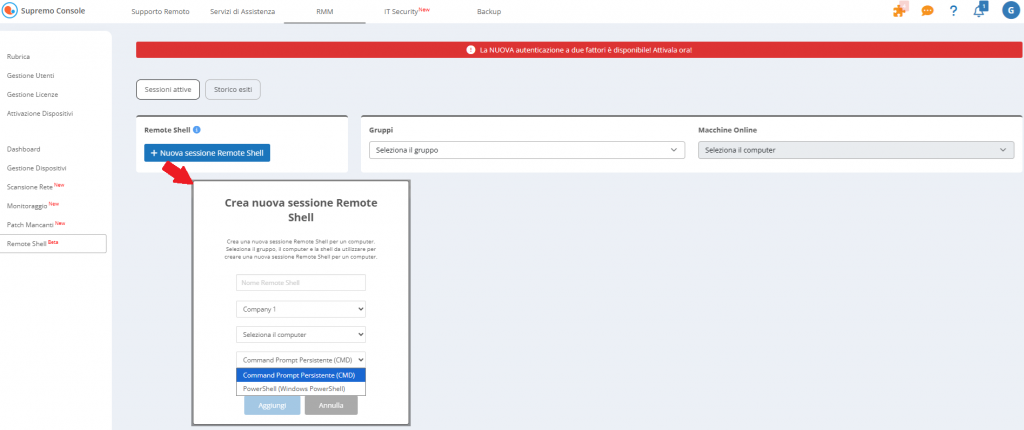
Versatile Remote Shell
Access and manage devices instantly through a secure remote terminal. Execute commands, run scripts, and perform advanced troubleshooting on Windows machines without interrupting end users’ activities.
With direct command-line access from your RMM console, IT teams can resolve issues faster, automate maintenance tasks, and maintain full control of their infrastructure from anywhere.
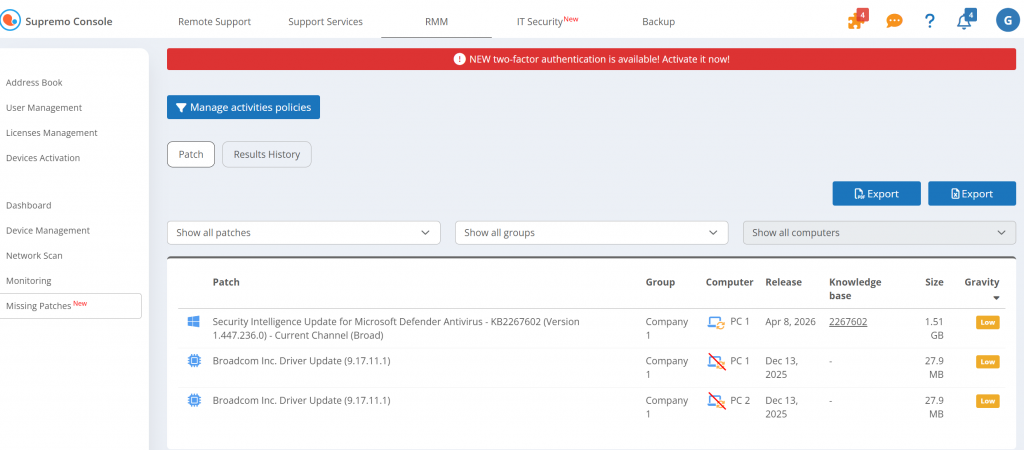
Automated Patch Management
Close security gaps and guarantee system stability without lifting a finger. Supremo automatically detects missing patches across all devices and deploys updates for Windows and third-party applications, helping you prevent vulnerabilities. Create and schedule custom update policies to roll out security fixes or exclude specific machines or software based on your workflow.
With automated patching, you protect your business from cyber threats while significantly slashing your team’s manual workload.
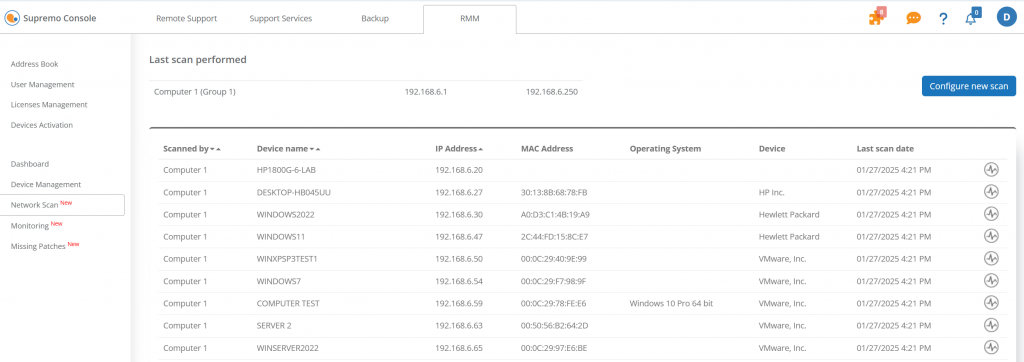
Efficient Network Scanning
Stop guessing what’s actually living on your network. The Network Scan feature allows you to deploy a probe to any device group, instantly mapping out peripherals and endpoints within range.
From printers to those “hidden” workstations, if it’s connected, you’ll see it. Gain complete infrastructure visibility in seconds and turn network blind spots into managed, secure assets.
Why choose Supremo RMM?
Start using our Remote Monitoring and Management tool and gain full control over your endpoints, patch management processes and device policies from a unified platform.
Proactive IT Management starts here
Move from reactive troubleshooting to proactive infrastructure control
Frequently asked questions
What is Remote Monitoring and Management (RMM) software?
RMM (Remote Monitoring and Management) software lets IT teams and MSPs monitor, manage, and maintain endpoints remotely from a single dashboard, covering system health, patch deployment, network scanning, and remote access.
How does RMM software work?
An agent installed on the device sends data to a central console. Administrators can set alert thresholds, automate patch rollouts, and access any machine remotely without interrupting end users.
What is the difference between RMM and remote desktop software?
Remote desktop software gives interactive access to one machine at a time. RMM operates at infrastructure level, monitoring entire device fleets, automating maintenance, and providing centralized visibility across all endpoints simultaneously.
Why do MSPs need RMM software?
It reduces manual workload through automation, enables proactive issue detection before downtime occurs, and provides the scalability to manage more clients without proportionally increasing operational overhead.
Does Supremo RMM features include automated patch management?
Yes. Supremo automatically detects and deploys missing patches for Windows and third-party applications. Administrators can schedule rollouts, create custom policies, and exclude specific machines or software.
Is Supremo RMM feature set suitable for small IT teams as well as large MSPs?
Yes. IT teams benefit from centralized visibility and automation, while MSPs can manage multiple client environments from a single platform. A free trial is available to test the full feature set.